
Prime Image Optimizer
WordPress Plugins

Prime Image Optimizer

WordPress Pluginv1.5.2

Premium WordPress image optimizer — WebP conversion, smart compression tiers, bulk tools & FrYmo support. Built by Hesadu Creatives.

$12.00

Overview

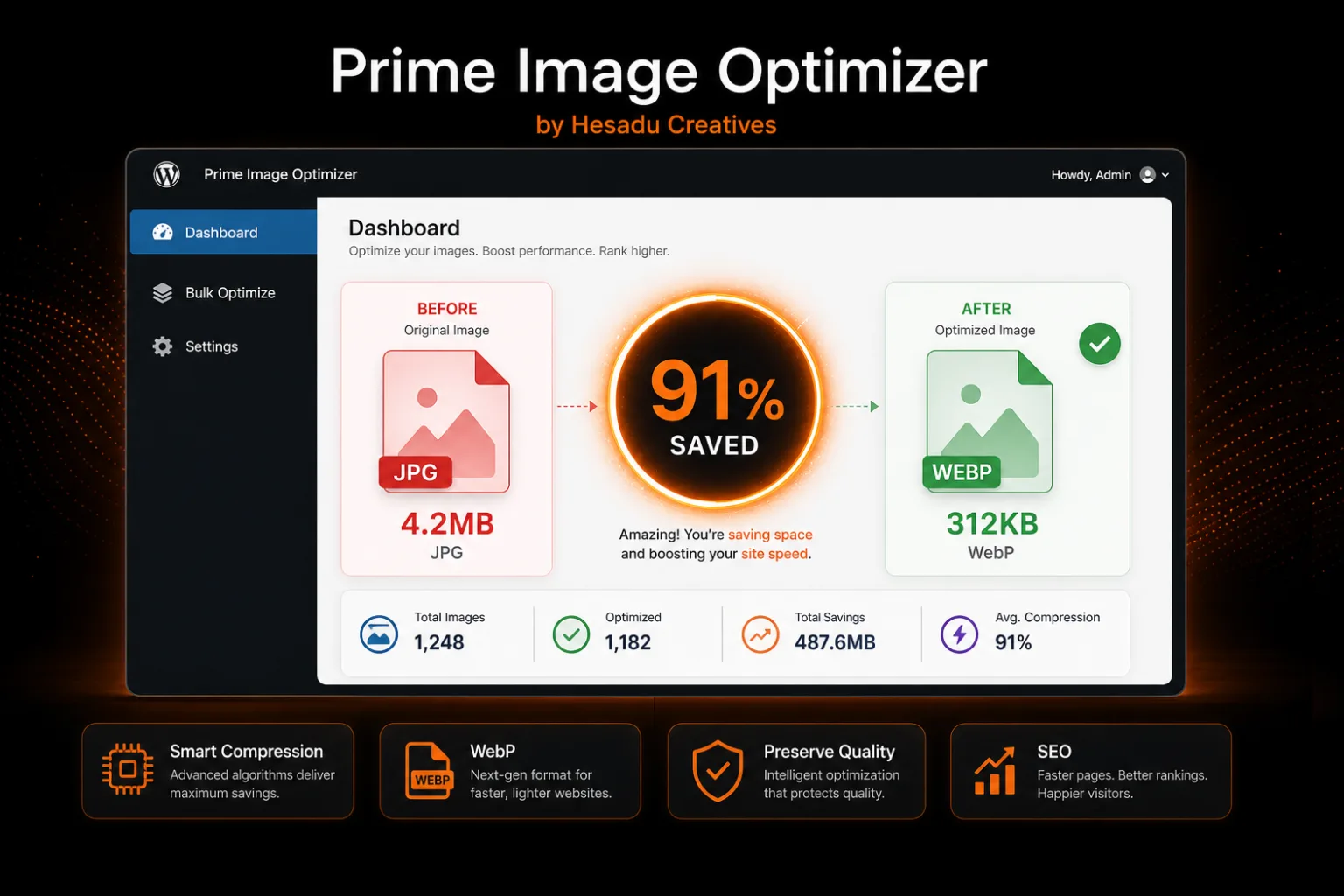
Prime Image Optimizer is Hesadu Creatives' flagship WordPress plugin — built for agencies, photographers and site owners who upload large images but still need top Lighthouse scores and fast mobile loading.

What you get

Real value for your site — speed, SEO and storage savings without hiring a developer.

  • Up to 90% smaller filesSmart compression keeps images sharp while slashing JPG/PNG weight for faster pages.
  • Automatic WebP conversionServes next-gen formats that Google PageSpeed and modern browsers love.
  • Smart size tiersNormal, large (2MB+) and huge (10MB+) profiles — each tuned for the right balance.
  • FrYmo readyOptional delayed re-optimize catches FrYmo's heavy exports after upload.
  • Bulk Media Library toolsOptimize hundreds of existing images in batches from one dashboard.
  • Safe backups & restoreOriginals stored before changes — one-click restore if you ever need them.
  • License & updatesOne license per site. Activate in-plugin and receive updates from Hesadu Creatives.

Setup guide

From purchase to optimized images in under 10 minutes.

  1. 1
    Purchase the pluginClick Buy Now and complete payment via bank transfer (PayPal coming soon).
  2. 2
    Get your downloadWe email your license key + ZIP download link within 24 hours of payment confirmation.
  3. 3
    Install on WordPressPlugins → Add New → Upload Plugin → choose the ZIP → Install → Activate.
  4. 4
    Activate licenseOpen Image Optimizer → License in wp-admin and paste your key.
  5. 5
    Enable auto-optimizeSettings → turn on optimize on upload and WebP conversion.
  6. 6
    Run bulk optimizeBulk Optimize tab → scan heavy images → optimize existing library in batches.

Requirements

  • WordPress 6.0 or newer
  • PHP 7.4+ with GD or Imagick
  • One license per live website
  • JPG, PNG → WebP (configurable)